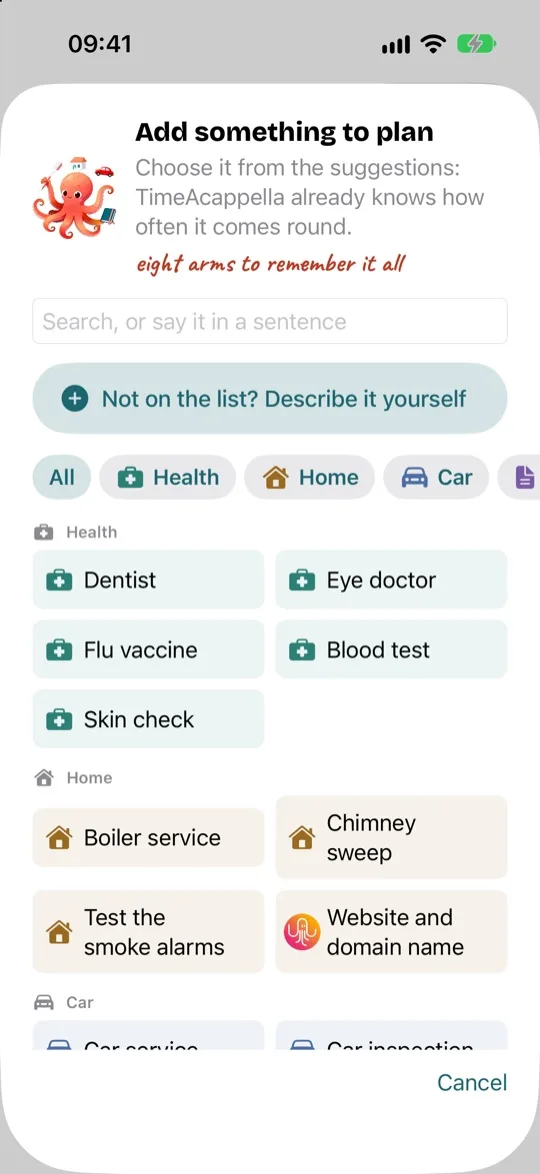
Add something to plan
Pick a suggestion whose timing the app already knows, or create your own by answering a few questions.
A thing to plan is anything that comes round again with no fixed date, or that has a deadline: having the chimney swept, renewing a passport, taking the car in for its inspection.
- Tap + at the top of the To plan tab.
- Pick a suggestion, or type a few letters in the search box: “dentist”, “boiler”, “passport”…
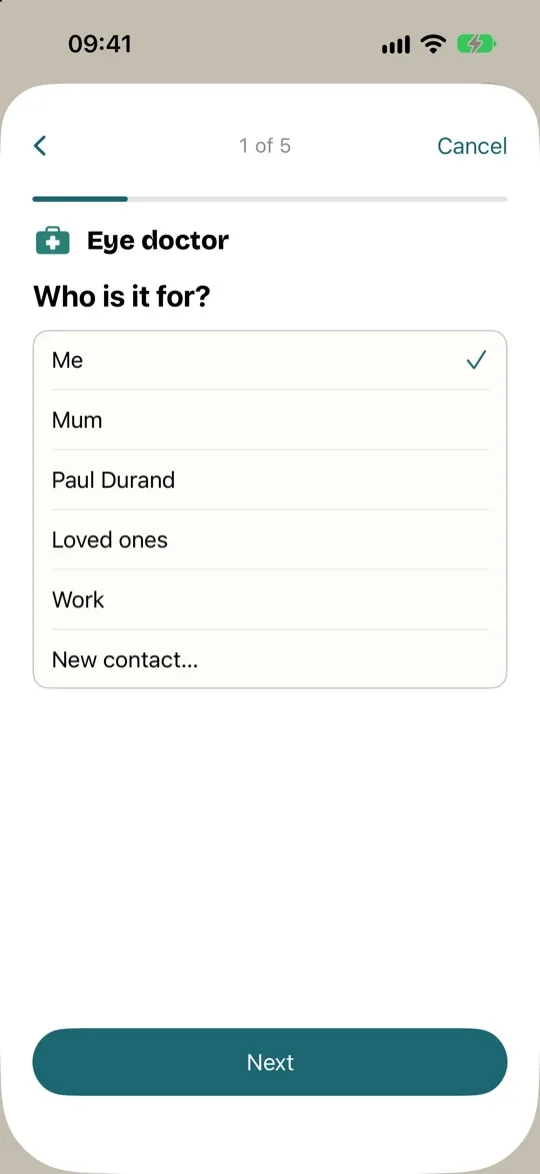
- Answer the questions, one on each screen. Tap “Next” to move on to the next one.
- On the last one, tap “Add”.
The questions
Depending on what it is, the app asks you:
- “Who is it for?”: you, a loved one or a group. See Plan for a loved one.
- “How often?”: every year, every two years…
- “Do you need to book an appointment with someone?”: for a garage, a chimney sweep or a doctor, the app lets you know sooner, so you have time to get an appointment.
- “How long does it take to get an appointment?”: sometimes a week, sometimes months.
- “When was the last time?”: the app counts the next time from this date.
Before you add it, a sentence tells you what will happen, for example: “We'll remind you from 4 October, to give you time to get an appointment.”
A note
One last question, “A note?”, is optional. Use it to write down anything that will help you next time: the practice's phone number, the tyre size, what to bring. The note stays with the thing from one time to the next.
To read it, tap the thing to open it. To change it, use its details screen, just like your other answers: see Edit or delete a thing.
When you note down an appointment for this thing, its note goes with it into “My calendar”, so you have it in front of you on the day (see where your appointments are written). If you change the note later, appointments you have already noted down keep the old one. The note never appears on the page of a shared link.
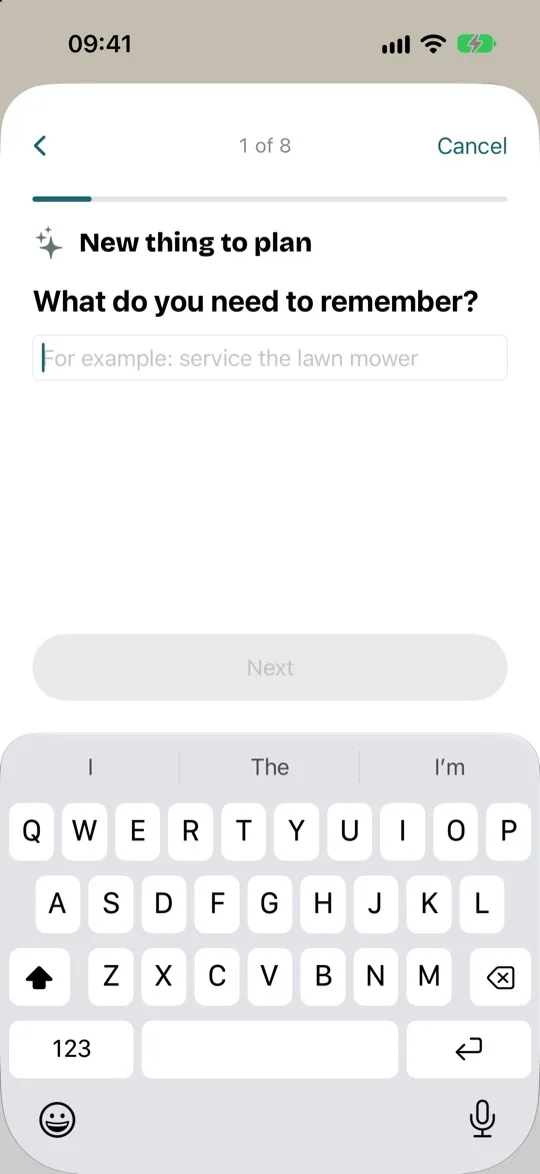
Something that isn't on the list
Tap “Not on the list? Describe it yourself”, above the suggestions. Say what you need to remember (“get the lawnmower serviced”), whether it comes round again, and how often. Something you only do once, such as cancelling a subscription, just has a deadline.